
Skip to content
GreenReach

For farms and food producers

From the grow room to the receipt.

Follow one farm’s harvest: how it is recorded, what it does to your stock, how it sells at a market stall and in a wholesale order, and how it lands on a restaurant’s invoice.

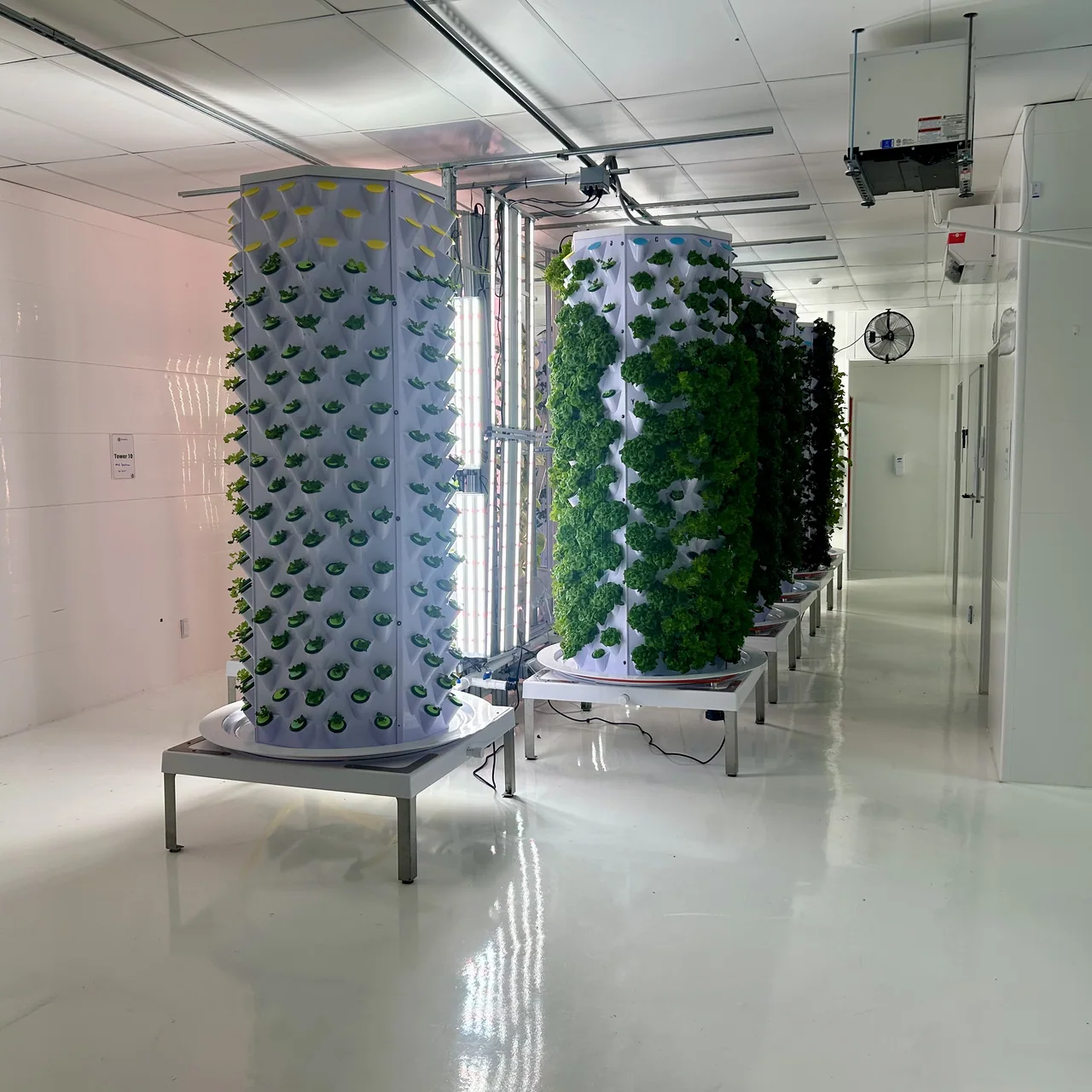
Rows of planted towers inside a vertical growing room.
Inside a GreenReach growing room

One harvest, six screens.

Northfield Farm picks butterhead lettuce from Room A1. Follow that harvest through the farm app’s own screens.

  1. See every grow room at a glance.

    What you do Open Farm Summary. Each room shows its temperature, humidity and VPD, and each growing group shows how many days are left to harvest.

    What happens next Butterhead A1 is four days from harvest. When the day comes, Harvest Today is one tap away.

    Farm Summary screen for Grow Room A1: temperature 20.4 degrees, humidity 64 percent, VPD 0.89, and the Butterhead A1 group four days from harvest with a Harvest Today button.
    Farm Summary: Grow Room A1 and its butterhead group.
  2. Record the harvest and it becomes a lot.

    What you do Weigh what you picked and confirm it. GreenReach names the harvest with a lot code built from the room, the crop and the date.

    What happens next The lot keeps its trail: A1-BUTTERHEAD-261127-001 records when it was harvested, which group it came from, when that group was seeded and the weight you recorded.

    The lot record A1-BUTTERHEAD-261127-001 for butterhead lettuce, on its Made from tab: harvested 2026-11-27, group Butterhead A1, seeded 2026-10-31, net weight 208 ounces.
    The lot record the harvest creates.
  3. Your stock shows the new lot.

    What you do Open Inventory. The lot is listed with its location, best-before date, what is on hand and what is available.

    What happens next Those 13 lb are what you can sell, at the market stall or in a wholesale order.

    Inventory listing butterhead lettuce under lot A1-BUTTERHEAD-261127-001 with its location, best-before date of 2026-12-04, and 13 lb on hand, 0 lb held and 13 lb available.
    Inventory, with the butterhead lot in the middle row.
  4. Sell it at the market stall, and your customer earns points.

    What you do On the sales terminal, tap the lettuce, look up the customer by phone, choose the Market channel and complete the sale.

    What happens next Stock goes down by what you sold, and the customer earns reward points: 14 on this sale.

    Farm Sales Terminal with four 4 ounce packs of butterhead lettuce in the current sale, a rewards member attached to the sale, and a total of 14 dollars.
    The sales terminal, with a rewards member on the sale.
    Sale completed message on the sales terminal: order POS-DEMO-0001, customer earned 14 stars, balance 52 stars.
    The finished sale.
  5. A restaurant’s order arrives.

    What you do Open Wholesale Orders. The new order shows the buyer, delivery date, items and total. Accept it to confirm.

    What happens next Print the pick list. The buyer may have ordered from other farms too, and each farm confirms its own part.

    Wholesale Orders screen showing one pending order, GR-1127, from Limestone Table in Kingston: 2 lb butterhead lettuce at 12 dollars 40 a pound, total 24 dollars 80, awaiting acceptance.
    Wholesale Orders: order GR-1127 waiting for the farm to accept.
  6. Your farm has its own section on the buyer’s invoice.

    What you do Pack and ship the order.

    What happens next The buyer gets one invoice for the whole order, with a section for each farm: your items, their lot codes and harvest dates, and your subtotal. Each farm is paid directly for its share.

    GreenReach

    Invoice INV-GR-1127

    Order
    GR-1127
    Invoice date
    2026-11-27

    Bill to

    Limestone Table

    Restaurant

    Kingston, ON

    Delivery

    Kingston, ON

    Ship date: 2026-11-28

    Carrier: Each farm delivers its own order

    Northfield Farm

    Town
    Harrowsmith, ON
    Shipment
    GR-1127-2, ships 2026-11-28
    Distance to you
    24 km, straight line

    About the farm

    A family farm near Harrowsmith growing lettuce and baby greens through the year.

    Items from Northfield Farm
    ProductQuantityLot codeHarvestedUnit priceTotal
    Butterhead lettuce2 lbA1-BUTTERHEAD-261127-0012026-11-27$12.40/lb$24.80
    Subtotal$24.80
    Delivery$6.00
    Farm total$30.80
    Northfield Farm’s section of invoice INV-GR-1127, as the buyer receives it. See the same order from the buyer’s side

Coming later

Automation and control.

Today GreenReach shows you what every room is doing, and you decide what to change. Coming later, it will help carry out those decisions.

  • Steadier rooms

    Conditions held where you set them, so a crop does not depend on someone being there at the right moment.

  • Fewer routine checks

    Less walking the rooms to adjust equipment by hand.

  • You stay in charge

    You choose what GreenReach may change, and you can see what it did.

There is no date yet. Everything in the story above is in the farm app today.

What you grow

Choose your kind of farm to see what GreenReach keeps for it. The enrolment form opens with your choice.

Choose what you grow

Choose a kind of farm above to see what GreenReach records for it.

Room → tray → harvest

At harvest, record which trays came out of each room so your team can match the crop to its growing space.

Create your farm for indoor and vertical farms

Compartment → crop block → picking

Keep pickings from separate crop blocks distinct, even when they share a greenhouse.

Create your farm for greenhouses

Field → planting → harvest

Keep each picking with its field and planting. When two fields produce the same crop, your team can tell the harvests apart.

Create your farm for field crops

Block → trees or vines → picking

Follow the picking rounds from each block as fruit comes in.

Create your farm for vineyards and orchards

Fruiting room → substrate batch → flush

Follow each substrate batch into the fruiting room and record successive flushes from that batch.

Create your farm for mushroom farms

Work order → bake → finished goods

Connect a bake to its work order so the finished goods can be traced to the production run.

Create your farm for bakeries

Processing area → ingredient batch → finished goods

Keep the ingredient batch with the processing run that turned it into finished goods.

Create your farm for food processors

Barn → milking group → collection

Distinguish milk collected from different groups during the same milking round.

Create your farm for dairy farms

Barn → flock → collection

Keep eggs from each collection linked to the flock and barn they came from.

Create your farm for poultry and egg farms

Pasture or pen → animal group → output

Keep groups of animals and their pen or pasture identifiable through production.

Create your farm for livestock farms

Pond or tank → group of fish → harvest

Keep a harvest linked to the group of fish and the pond or tank where they grew.

Create your farm for fish farms

Bee yard → hive → honey lot

Keep honey lots connected to the hives and bee yards they came from.

Create your farm for apiaries

Tap stand → sap run → syrup lot

Trace a syrup lot back to the sap run and stand that supplied it.

Create your farm for maple producers

Start with the food you produce. During farm setup you can describe the operation in your own terms.

Create your farm for other food producers

Create your farm.

Start with your farm name and contact details. Farm software is free, with a card on file for metered usage.

Create your farm

Already have an account? Sign in · Questions first? Talk to us